Metaframes photography guide
Best EXIF photo frame app for Android: what to look for
The best EXIF photo frame app for Android is the one that handles a real photo well: it reads available metadata, lets you correct missing fields, keeps the image central, and produces a sharp export. Use those results to compare apps instead of counting templates or features.
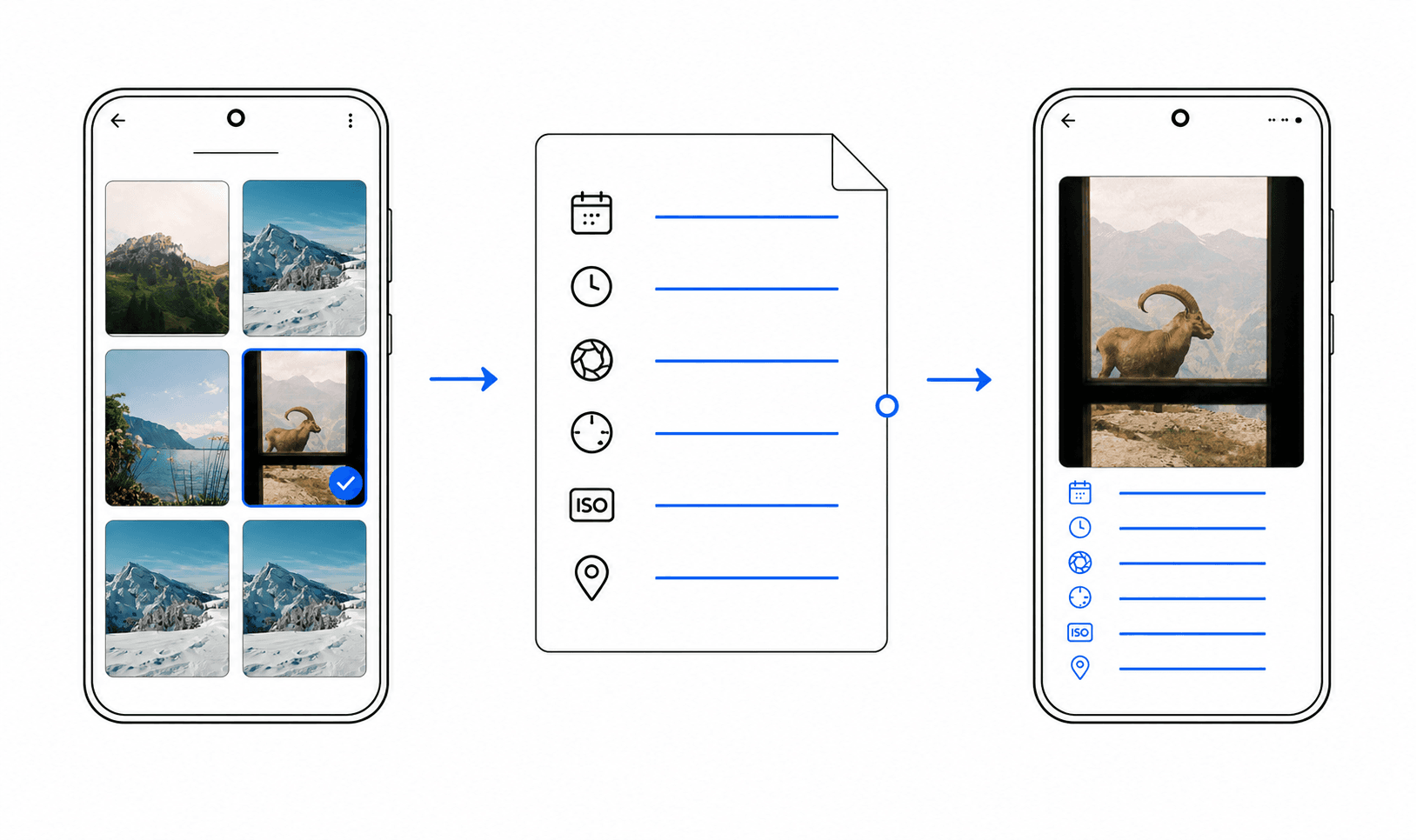
1. Reliable automatic EXIF detection
A useful app should detect camera body, lens, focal length, aperture, shutter speed, ISO, and capture date. Automatic detection turns framing into a quick finishing step instead of a data-entry task.
No app can recover information that another tool has already removed. Good software makes available fields clear and handles incomplete metadata without filling the frame with empty labels.
2. Manual control over missing or messy fields
Real workflows are imperfect. Edited exports, transferred images, adapted lenses, and film scans may contain incomplete or unusually formatted values.
Look for the ability to correct a lens name, add a known setting, and hide fields that do not belong in the final design. The photographer should remain in control.
3. Templates designed around the photograph
More templates do not automatically create better results. A useful collection includes restrained light and dark layouts, clear typography, and consistent spacing for portrait and landscape images.
Sidebars and caption areas suit detailed metadata and busy photographs. Minimal or overlay styles work when only a few settings are shown and the image contains enough visual space.
4. Readable JPG and PNG exports
A frame can look convincing in an editor and still fail after export. Check whether metadata stays sharp, contrast remains sufficient, and the photo is not compressed more than necessary.
JPG is practical for everyday sharing, while PNG is useful for clean presentation files. The export should be ready to save and share without another layout tool.
5. Local processing and clear privacy choices
Photos can contain faces, client work, capture times, equipment information, and location metadata. Uploading an image should not be required merely to place known camera settings beside it.
Metaframes processes the core import, preview, and export workflow on the device and does not require a Metaframes account. That reduces unnecessary data movement.
6. A focused workflow instead of another full editor
An EXIF frame app does not need to replace a photo editor. Its job is to take a finished photograph, present selected technical context clearly, and create a shareable file.
Photographers can continue using their preferred editor and add the metadata frame only when the image is ready.
7. Honest platform and pricing information
Verify that the app is available for your device and that important export or template limits are explained before you start a project.
Metaframes is currently available for Android through Google Play. Its core workflow is free to try, while premium templates can be unlocked where offered in the app.
A practical comparison checklist
Test one representative photo. Confirm that camera and lens are detected, correct a field manually, try a light and dark template, export a file, and inspect it at full size.
If you can understand the result before export and reach a polished frame in a few steps, the tool is doing its job.